1. Capture the spoken request
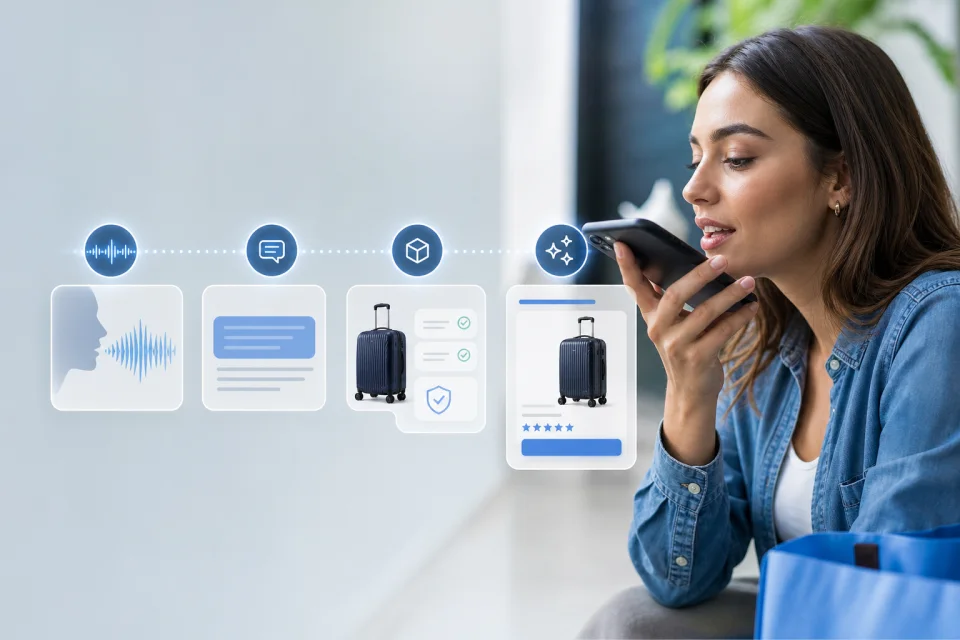
The visitor taps the voice control and asks a product, delivery, return, compatibility, recommendation, or navigation question in their own words.
2. Convert speech to text
The spoken request is converted to text. The assistant processes that text rather than treating audio as a separate source of store information.
3. Identify the question type
The assistant determines whether the visitor is asking about a product option, policy, delivery rule, comparison, recommendation, or another supported context.
4. Check the configured sources
The answer depends on the website pages, connected product data, policies, and merchant configuration connected to that installation. Voice does not create missing facts.
5. Return an answer or a clear limitation
When the source supports an answer, the assistant can respond and show relevant product context. When it does not, the assistant should ask for clarification, state the limitation, or use the approved human route.
6. Test the complete mobile flow
Test on the devices, browsers, languages, accents, and real shopping pages relevant to the store. Voice availability and recognition quality should be evaluated per installation.